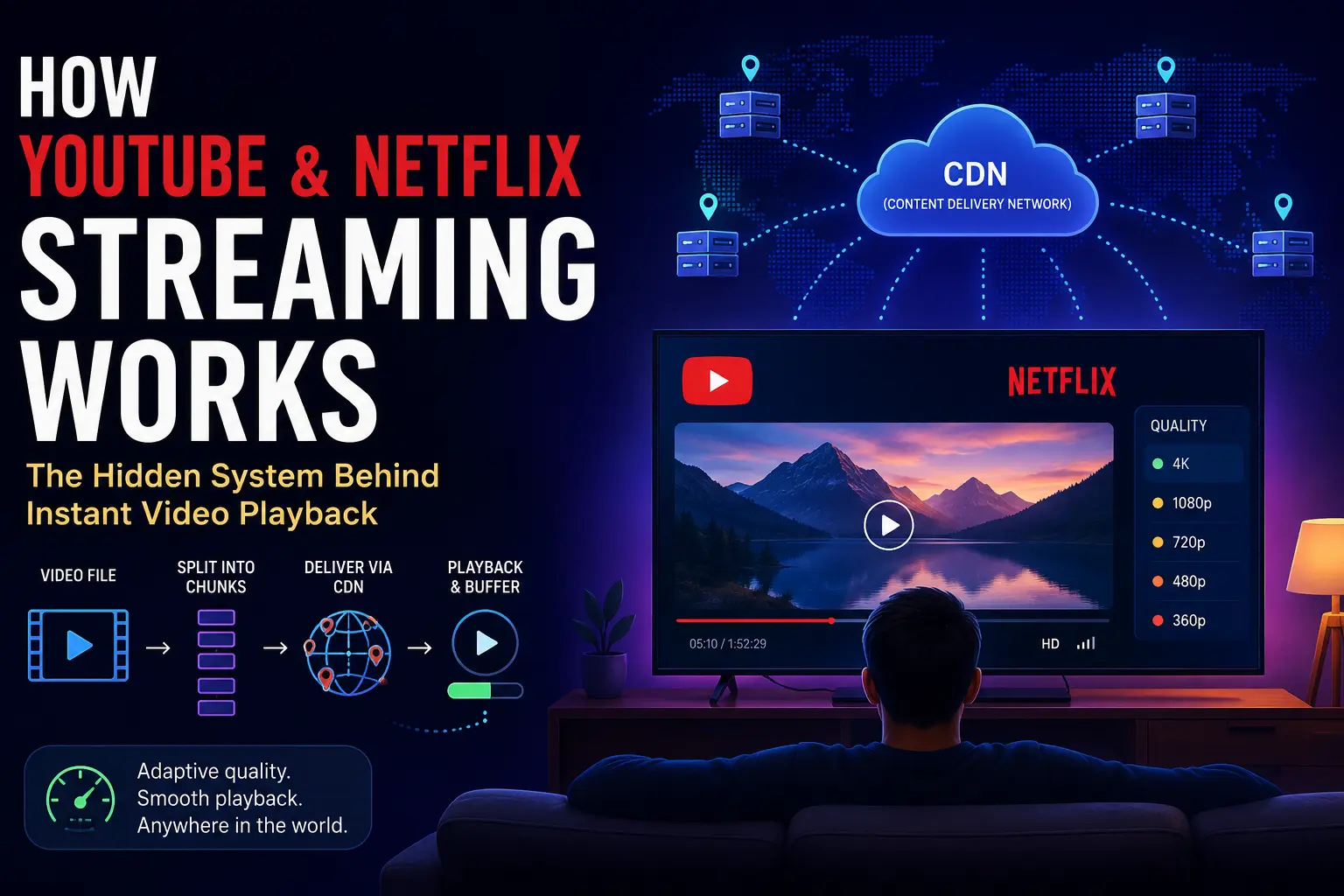
You click Play on a 2-hour movie on Netflix. Playback starts in under three seconds. The file is several gigabytes. Your internet connection is nowhere near fast enough to download several gigabytes in three seconds. So what’s actually happening? Most people assume the file is being downloaded—it isn’t. What’s happening is fundamentally different, and understanding it reveals one of the most important engineering ideas in distributed systems: never move the whole thing when you only need a piece of it.
Why Downloading the Whole File Doesn’t Work
Start with the obvious question: why not just download the movie like you’d download a PDF?
A 4K movie runs about 15–20 GB. At a typical home broadband speed of 50 Mbps, downloading 15 GB takes roughly 40 minutes. You’d wait 40 minutes before watching a single frame. For a platform like YouTube with over 800 million videos watched daily, that’s not a user experience problem—it’s an infrastructure one. If each viewer downloaded the full video, bandwidth costs would be astronomical. Half the viewers will stop watching after 5 minutes anyway.
Traditional downloading also wastes what you never use. You download the whole file, then watch 20 minutes and close the tab. The remaining 90 minutes you paid to transfer just sits on disk. At Netflix scale—over 220 million subscribers—this inefficiency would be ruinous.
The solution is obvious once you hear it: don’t send the whole file. Send only what’s being watched right now, and send a little ahead so playback never stalls.
How Streaming Actually Works: Chunks and Buffers
Instead of one giant file, the platform cuts the video into small segments—typically 2–10 seconds of content each. These segments are stored as individual files on servers. When you click Play, your player requests only the first few chunks. Playback begins as soon as those arrive, while the rest download quietly in the background.
Movie (2 hours)
├── chunk_001.ts   (0:00–0:02)
├── chunk_002.ts   (0:02–0:04)
├── chunk_003.ts   (0:04–0:06)
│   ...
└── chunk_3600.ts  (1:59:58–2:00:00)
This is what the buffer is. Before playback starts, the player pre-loads several seconds of chunks. While you’re watching chunk 1, chunks 2 through 10 are already downloaded. The player is always a few chunks ahead of what you see. If your network slows for a moment, you have a buffer of pre-loaded content before you’d ever notice a stall.
The protocol that governs this on most modern platforms is HLS (HTTP Live Streaming), developed by Apple, or MPEG-DASH (Dynamic Adaptive Streaming over HTTP). Both work the same way at a high level: a manifest file describes which chunk URLs to fetch and in what order, and the player requests them one by one over plain HTTPS. No special protocols, no persistent connections—just regular web requests.
When you press Play, here’s the step-by-step sequence:
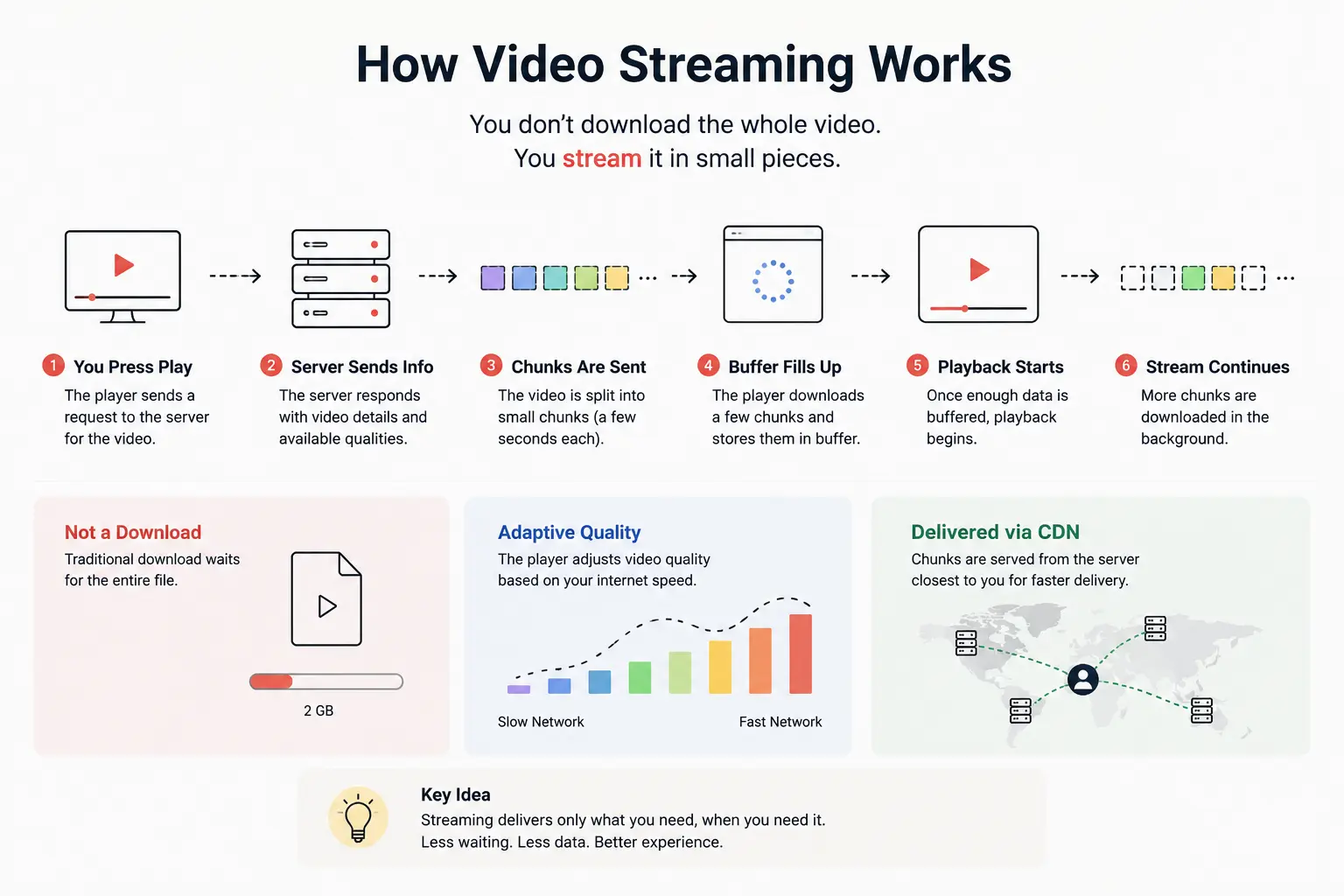
.1 User clicks Play: The video player (web browser or mobile app) requests playback metadata first. The backend responds with a manifest file includes information like: available quality levels, chunk URLs, audio tracks, subtitles…
{
  "duration": 5420,
  "qualities": [
    "360p",
    "720p",
    "1080p",
    "4K"
  ],
  "segmentDuration": 4,
  "manifest": "video.m3u8"
}
2. Server responds with manifest: The server response not yet the video data but it return the manifest file that contains the list of chunk URLs and their metadata. The player uses this to know what chunks to request next. Example of a manifest file (HLS format) is shown above.
server: HTTP/1.1 200 OK
Content-Type: application/vnd.apple.mpegurl
#EXTM3U
#EXT-X-TARGETDURATION:6
#EXTINF:6.0,
chunk_001.ts
#EXTINF:6.0,
chunk_002.ts
#EXTINF:5.9,
chunk_003.ts
...
Think of the manifest as a table of contents for the video. It tells the player where to find each chunk and how long it is. Each chunk act as a small, self-contained piece of the video that can be downloaded and played independently.
3. Player requests first chunk: This is where actual video data starts flowing. The player makes an HTTP GET request for the first chunk URL listed in the manifest. The server responds with the chunk file, which is a small binary file containing compressed video data.
GET /chunk_001.ts HTTP/1.1
Host: video.example.com
4. Fill up the buffer: As chunks arrive, the player decodes and plays them in order. Meanwhile, it continues to request subsequent chunks, keeping the buffer filled. If the network is fast, the buffer grows; if it’s slow, the player may drop to a lower quality stream (more on that later).
Usually, the player requests several chunks ahead of the current playback position to ensure smooth playback. For example, if the chunk duration is 6 seconds, the player might request chunks 1 through 5 immediately after receiving the manifest.
Example of chunk request sequence:
Downloaded

██████████

Playing

██
Suspose the player is currently playing chunk 1 (0:00–0:06). It has already downloaded chunks 2–5 (0:06–0:30) and is requesting chunk 6 (0:30–0:36). The buffer ensures that even if the network slows down, playback continues uninterrupted.
5. Playback starts: The player begins decoding and rendering the video frames from the first chunk. As each chunk finishes playing, the player moves to the next one in the buffer. This continues until the end of the video or until the user stops playback.
6. Stream continues: The player keeps requesting chunks in order, maintaining the buffer. If the network speed changes, the player may switch to a different quality level (adaptive bitrate) to ensure smooth playback.
Adaptive Bitrate: Why Quality Changes Automatically
You’ve seen this happen: you pause briefly, resume, and the video looks blurry for a moment, then sharpens up. That’s Adaptive Bitrate Streaming (ABR) doing its job.
The platform doesn’t store just one copy of each video. It stores the same content at multiple quality levels—360p, 720p, 1080p, 4K. Each has its own set of chunks:
| Quality | Typical Bitrate | Chunk Size (6 sec) |
|---|---|---|
| 360p | ~0.5 Mbps | ~375 KB |
| 720p | ~3 Mbps | ~2.25 MB |
| 1080p | ~8 Mbps | ~6 MB |
| 4K | ~25 Mbps | ~18.75 MB |
Your player continuously measures how fast chunks are arriving. If chunks download faster than they’re needed for playback, your network has headroom—the player quietly switches to a higher-quality stream. If chunks start arriving slowly (network congestion, you switched to mobile data), the player drops to a lower bitrate. You keep watching. The quality adjusts.
Think of it like driving on a highway with multiple lanes. When traffic is light, you take the fast lane. When you hit congestion, you merge into a slower lane rather than stopping. The destination is the same—you never stop moving.
The manifest file makes this possible. It lists URLs for all quality tiers. The player picks which tier to fetch each chunk from based on observed bandwidth:
# Multi-quality HLS manifest
#EXT-X-STREAM-INF:BANDWIDTH=500000,RESOLUTION=640x360
360p/index.m3u8
#EXT-X-STREAM-INF:BANDWIDTH=3000000,RESOLUTION=1280x720
720p/index.m3u8
#EXT-X-STREAM-INF:BANDWIDTH=8000000,RESOLUTION=1920x1080
1080p/index.m3u8
ABR is why streaming feels seamless even on inconsistent connections—the system degrades gracefully rather than buffering or stopping.
The Unsung Hero: CDN
Here’s a problem that seems obvious once you think about it. Netflix has servers in—let’s say—Virginia. A viewer in Tokyo clicks Play. The video chunks have to travel from Virginia to Tokyo: roughly 14,000 km, at the speed of light through fiber optic cable, taking around 140–200 ms per round trip. Every single chunk request takes 200 ms just in network transit, before any actual data arrives.
For a 6-second chunk, 200 ms is acceptable. But multiply that by millions of simultaneous viewers across Asia, Europe, and South America, and the origin servers in Virginia are hammered. Every viewer creates constant request traffic back to the same data center.
The solution is the CDN (Content Delivery Network). A CDN is a globally distributed network of servers—called edge servers—placed close to users in cities around the world. Netflix runs Open Connect, its own CDN with servers placed directly inside ISP networks globally. When you watch Netflix in Tokyo, the chunks are being served from a server that might be inside your ISP’s own data center a few kilometers away.
Without CDN:
Viewer (Tokyo) ──── 14,000 km ────► Origin Server (Virginia)

With CDN:
Viewer (Tokyo) ──── 2 km ──► Edge Server (Tokyo ISP)
                              (already has the chunks cached)
The first time someone in Tokyo watches a popular show, those chunks get fetched from the origin and cached at the Tokyo edge server. The second viewer in Tokyo—and the millionth—gets served from that local cache without touching the origin at all. For popular content, the origin server’s load drops dramatically. For the viewer, latency drops from 200 ms per chunk to single-digit milliseconds.
This is also why new, unpopular content sometimes has slower startup times: the edge cache is cold and has to fetch from origin on first request. Popular content feels fast because the cache is almost always warm.
CDNs are central to how API gateway design and caching layers work at large scale—the same principle of serving from the closest possible node applies whether you’re delivering video chunks or API responses. You can read more about why systems need multiple caching layers to understand the broader picture.
Live Streaming: When the Chunks Don’t Exist Yet
Everything described so far assumes the video already exists—it was uploaded, encoded, and chunked before anyone pressed Play. On-demand streaming is relatively forgiving because the entire file is available at rest.
Live streaming is different. When a creator goes live on YouTube or Twitch, chunks are being created in real time. The encoder on the creator’s machine captures video, compresses it, and pushes new chunks to the server every few seconds. Viewers receive those chunks moments after they’re created.
On-Demand:
[Full video already chunked and stored] → Viewer requests chunks → Playback

Live:
Camera → Encoder → Upload chunk → Server → CDN → Viewer
         (happening right now, seconds ago)
This is why live streams always have a delay. The creator does something. The encoder captures and compresses it (2–4 seconds). The chunk uploads to the server (1–2 seconds). The CDN distributes it (1–2 seconds). The player buffers a few chunks before playing (2–6 seconds). By the time you see it, 6–15 seconds have passed. Low-latency streaming modes (YouTube’s “ultra low-latency” or Twitch’s reduced-delay mode) shrink this by using smaller chunks and shorter buffers, trading smoothness for immediacy.
Live streaming also requires careful handling of the manifest. It’s no longer a static list of all chunks—it’s a rolling window that keeps updating with new chunk URLs as the stream progresses. The player polls the manifest repeatedly to discover new chunks.
The Full System: What Happens Before You Ever Press Play
The playback experience you see is the end of a long pipeline. Before a video can be streamed to millions of viewers, it goes through several stages:
flowchart TD
    A["Creator uploads raw video"]
    B["Transcoding workers\n(multiple resolutions, bitrates)"]
    C["Segmentation\n(split into 2–10 sec chunks)"]
    D["Metadata storage\n(manifests, database)"]
    E["Cloud storage\n(all chunk files)"]
    F["CDN edge servers\n(cached near viewers)"]
    G["Viewers worldwide"]

    A --> B
    B --> C
    C --> D
    C --> E
    D --> F
    E --> F
    F --> G
Transcoding is the heavy step. A raw upload from a creator is usually a high-bitrate file in a specific format. The platform runs it through worker clusters that re-encode the video into multiple formats and resolutions. This is computationally expensive—a 2-hour 4K video might take 30–60 minutes to transcode. YouTube shows “processing” because this is actually happening.
Segmentation splits each transcoded version into small chunks and generates the manifest files. The chunks go to cloud storage (S3, GCS); the manifests go to a metadata layer that knows which chunks belong to which video at which quality.
CDN distribution happens lazily—chunks aren’t proactively pushed to every edge server on the planet. They’re cached at each edge node the first time a viewer in that region requests them.
This pipeline embodies several fundamental distributed systems ideas: data partitioning (video is split into small pieces), caching at every layer, geographic distribution, asynchronous processing, and fault tolerance (if one edge node is down, traffic routes to the next closest). The handling failures in microservices systems principles apply directly to how platforms handle degraded CDN nodes, encoding failures, and storage outages.
Closing Thoughts
Video streaming is one of the most visible examples of a universal distributed systems principle: large-scale systems don’t move giant pieces of data. They break the problem into small pieces, serve only what’s needed, and do it as close to the user as possible.
Chunking solves the download problem. Adaptive bitrate solves the variable network problem. CDNs solve the geographic distance problem. Async transcoding decouples the upload experience from the viewing experience. None of these are video-specific ideas—they’re general patterns that show up everywhere from database caching to file uploads.
The next time you click Play and playback starts instantly, you’re seeing all of these systems working in concert—manifests, chunks, adaptive bitrate logic, CDN edge caches, and a transcoding pipeline that ran hours or days before you ever arrived.
Questions
- If two viewers in the same city watch the same Netflix show, do they hit the same CDN edge server? What happens to the edge cache after the first viewer requests a chunk?
- Why does a live stream always have a delay, and what trade-offs are made when you reduce that delay using “ultra low-latency” mode?